

Starting a kitchen remodel can feel like you're staring at a puzzle with a thousand scattered pieces. Kitchen cabinet design software is the tool that helps you put it all together. It's like a digital sandbox where you can build your kitchen, test different layouts, and play with styles before a single hammer swings. This tech lets you see a stunningly realistic version of your finished kitchen, so you can lock in decisions with confidence.
Visualize Your Dream Kitchen into Reality
A kitchen renovation is a serious investment of both time and money. The last thing you want is a costly mistake. One of the biggest hurdles is turning the ideas in your head—that perfect shade of blue, a specific Shaker-style door, or a new island layout—into a plan that actually works. This is precisely where kitchen cabinet design software becomes your most valuable player.
Think of it as a flight simulator for your kitchen. Instead of just crossing your fingers and hoping the final result matches your vision, you get to walk through the space virtually. You can open drawers, see how the morning sun will hit your new countertops, and make sure everything feels right. It’s a process that takes you from a vague concept to a precise, ready-to-build design.
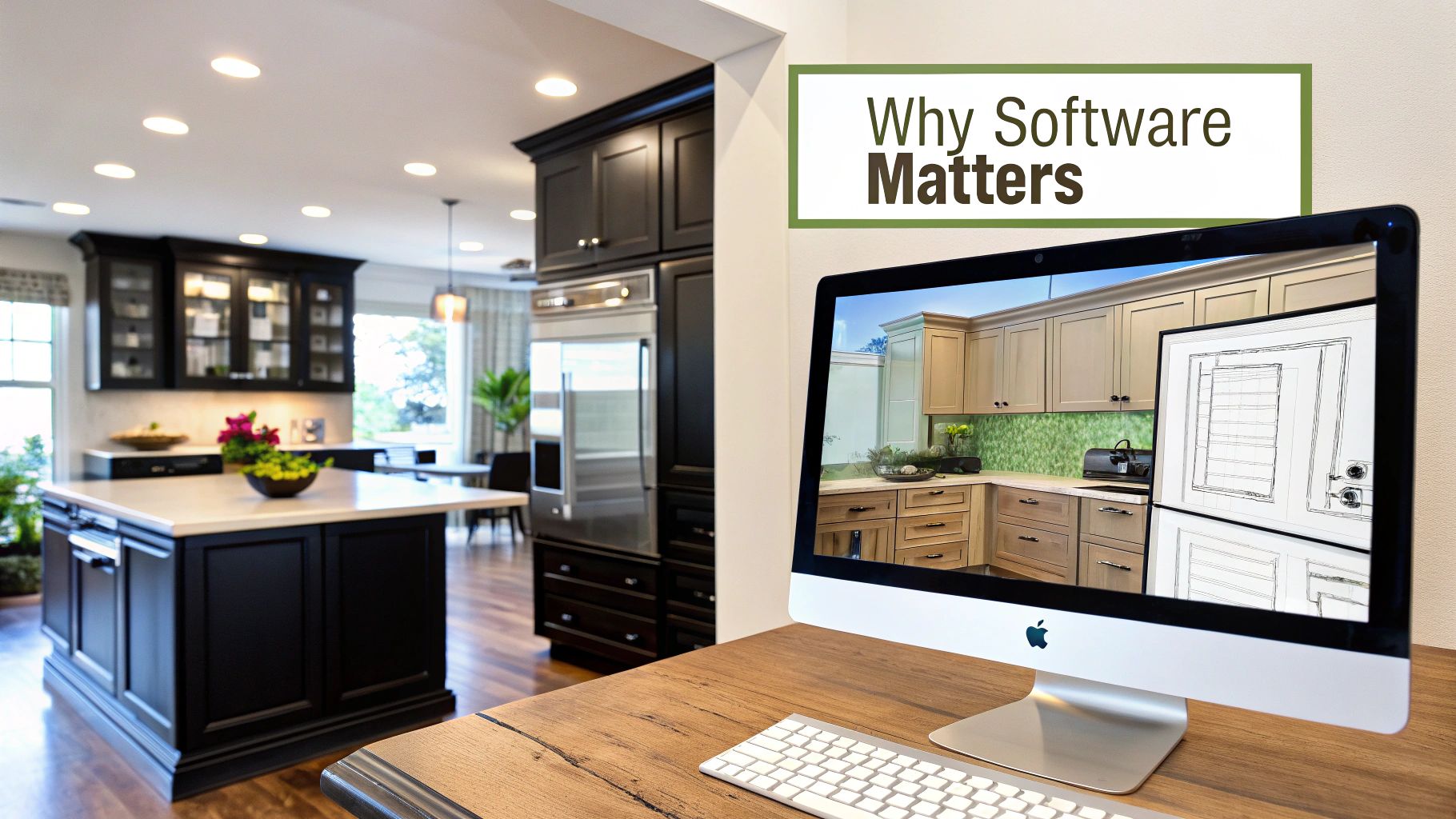
From Abstract Idea to Photorealistic Preview
The real magic of this software is its power to create a crystal-clear, shared vision for everyone involved in the project. Instead of trying to describe what you want, you can simply show them. This visual alignment is huge for preventing the kind of miscommunications that lead to expensive do-overs.
- Experiment Without Risk: Want to see how cherry cabinets look with a marble backsplash? Curious about a different floor? Swap finishes, tiles, and materials with a few clicks. There’s zero financial risk, which gives you total creative freedom.
- Ensure Functional Layouts: You can check practical details, like making sure cabinet doors have enough clearance to open fully and that the workflow between your sink, stove, and fridge feels natural and efficient.
- Collaborate Effectively: Homeowners, designers, and contractors can all work from the exact same detailed model. It gets everyone on the same page from day one.
The Evolution of Design Technology
Kitchen cabinet design software has come a long way, especially with advancements in 3D visualization. Professional-grade tools like 2020 Design, for instance, can produce high-definition, photorealistic renderings complete with adjustable lighting and 360-degree panoramic views. Better yet, it links directly with cabinet manufacturers’ catalogs, which massively simplifies ordering and cuts down on errors between the design phase and production.
By transforming ideas into detailed 3D models, this software demystifies the renovation process. It provides clarity and control, helping you make informed decisions that align with both your aesthetic goals and your budget.
Of course, the software is only as good as the ideas you put into it. Taking the time to learn how to create an effortlessly stylish and functional kitchen will help you get the most out of these powerful tools. Ultimately, this technology is an essential part of any successful https://sinclaircabinets.com/custom-cabinet-design/, turning ambitious kitchen dreams into beautiful, functional realities.
Unlocking the Core Features of Design Software
Picking the right kitchen cabinet design software is a bit like test-driving a car—you need to pop the hood and see what it's really made of. It's easy to get wowed by a flashy interface, but the true horsepower of these tools is in their core features. These are the functions that turn a vague idea scribbled on a napkin into a precise, buildable plan.
To really know if a tool is right for you, you have to look past a simple feature list and understand how each function impacts your project. Think of them as your design toolkit. Each one has a specific job, from roughing out the initial layout to adding the final, photorealistic polish.
This image really drives home how the essential features work together to create a complete design experience.
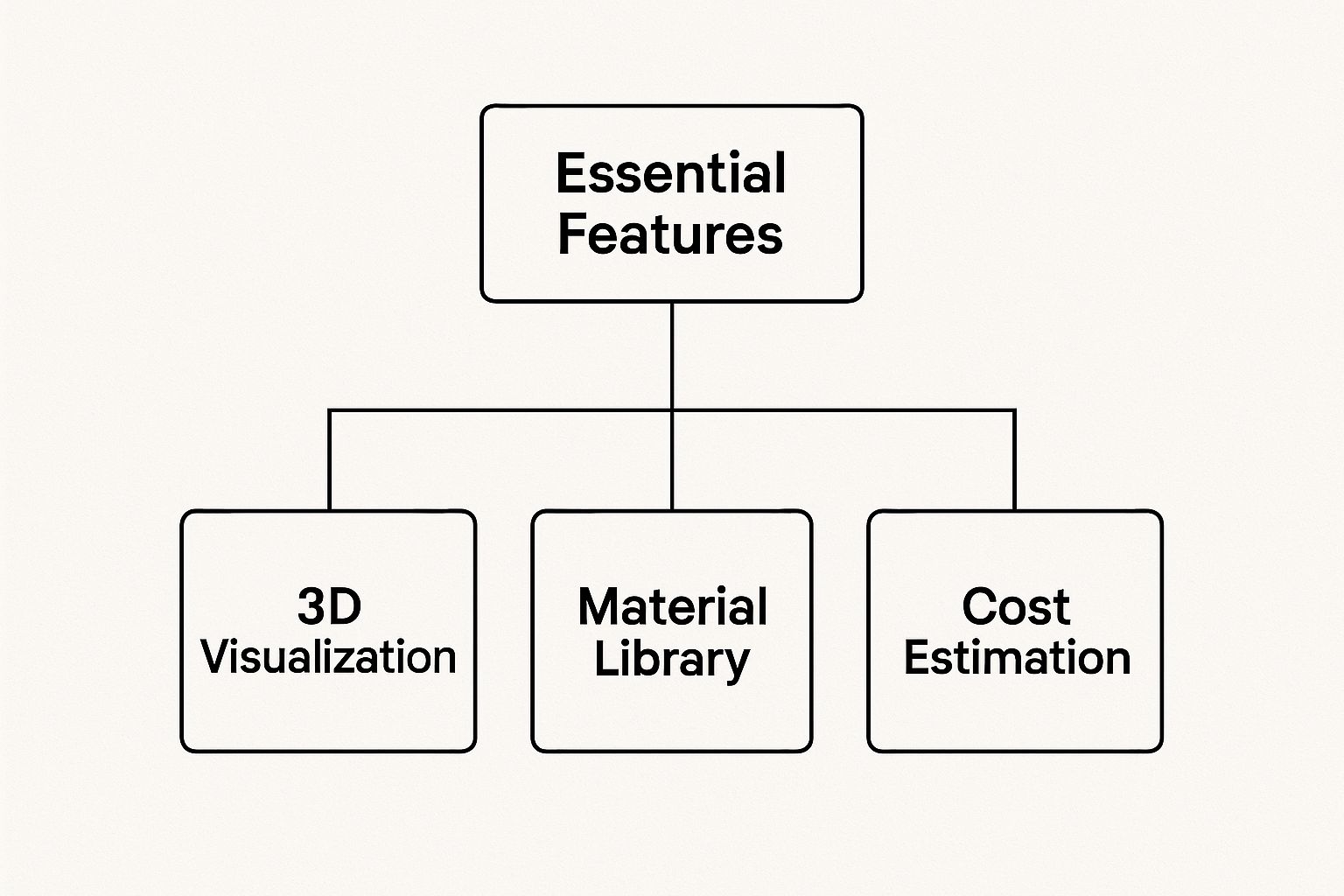
As you can see, the ability to render your design in 3D, experiment with materials, and get an accurate cost estimate are the three pillars holding up any successful digital kitchen design.
Essential Features in Kitchen Cabinet Design Software
To help you cut through the noise, we've broken down the must-have features you'll find in modern design software. Think of this as your cheat sheet for evaluating any tool you're considering. It's not just about what the feature is, but what it does for you and your project.
| Feature | What It Does | Why It Matters for Your Project |
|---|---|---|
| 3D Visualization | Creates an interactive, three-dimensional model of your kitchen layout. | Lets you "walk through" the space to check flow, sightlines, and clearances before committing to a final plan. |
| Photorealistic Rendering | Applies realistic lighting, shadows, and textures to your 3D model to create a life-like image. | Helps you see exactly how materials and colors will look in your home's actual lighting, removing all guesswork. |
| Material & Finish Library | Offers a digital catalog of cabinet styles, countertops, hardware, and paint colors to apply instantly. | Allows for endless experimentation without risk. Find the perfect combination of finishes with a few clicks. |
| Drag-and-Drop Interface | Provides a simple, visual way to place, move, and resize cabinets and appliances within your layout. | Makes space planning intuitive and fast. You can test dozens of layouts in minutes, not hours. |
| Automatic Dimensioning | Instantly adds precise measurements to your design plans as you work. | Ensures accuracy and eliminates the human error that can lead to costly mistakes during installation. |
| Cost Estimation | Calculates a running total of project costs based on the specific products and materials in your design. | Keeps your project on budget from day one and helps you make informed decisions about material choices. |
Ultimately, a great piece of software brings all these elements together seamlessly. It should feel less like you're drafting a technical blueprint and more like you're sculpting your future kitchen in real time.
See Your Design in 3D Photorealistic Detail
The single biggest game-changer in modern design software is 3D visualization. This isn't just a flat, boring floor plan; it’s a living, breathing model of your kitchen that you can spin around, walk through, and explore from any angle. You can check the sightlines from the doorway or see if the layout feels cramped.
This virtual tour is your secret weapon against expensive, last-minute changes. It answers all those nagging questions before a single hammer swings. Does that island feel too massive for the space? Is there actually enough room for the fridge door to open all the way?
The best programs elevate this with photorealistic rendering. This feature adds hyper-realistic lighting, shadows, and textures to your 3D model, creating an image so crisp it's often hard to tell from an actual photograph. Seeing how the morning sun from a window plays across your chosen cabinet finish gives you a level of confidence that was simply impossible to achieve in the past.
Experiment with Extensive Material Libraries
A deep material and finish library is your personal digital showroom, open 24/7. Forget lugging around dozens of heavy samples. With good software, you can instantly apply hundreds of options to your cabinets, countertops, and floors. This is where the aesthetic of your space really comes to life.
- Cabinet Finishes: Go from classic stained oak to a bold, high-gloss navy with a single click. Test drive painted shaker doors, textured laminates, or warm walnut veneers.
- Countertop Surfaces: Instantly see how your cabinets look paired with granite, quartz, butcher block, or marble. No more guessing if the undertones will clash.
- Hardware and Fixtures: This is the jewelry of the kitchen. Swap out different styles of knobs, pulls, and faucets to find the perfect finishing touches that tie everything together.
This ability to get immediate visual feedback encourages you to be bold. You might just discover a color combination you never would have considered or realize that a certain wood grain looks all wrong with your flooring. It empowers you to make creative decisions with total confidence.
Simplify Planning with Smart Tools
Beyond making things look pretty, the best kitchen software includes smart tools that handle the tedious, technical side of the project. These functions do the heavy lifting and complex math for you, saving a ton of time and cutting down the risk of simple human error.
The drag-and-drop interface is a true game-changer. It makes creating a layout as simple and intuitive as moving blocks around on a screen. You can place, resize, and shuffle cabinets, appliances, and islands with your mouse, letting you rapidly test different layouts.
On top of that, automatic dimensioning is a lifesaver. It instantly adds precise measurements to your plans, ensuring everything will fit like a glove on installation day. Many professional-grade tools, like ProKitchen Software or 2020 Design Live, even integrate directly with real manufacturer catalogs. This means you’re designing with actual products you can buy and can generate a perfect parts list for ordering, which makes the whole purchasing process a breeze.
Streamline Custom Cabinetry Projects with Precision
The hunger for personalized kitchens is completely changing the cabinet game, and design software is the tool that makes true customization possible. For anyone dreaming of a kitchen that’s a perfect fit for their space and style, this software is the bridge between a brilliant idea and a flawless reality. It’s the digital craftsman for your cabinetry.
Think of it as the ultimate blueprint for a one-of-a-kind kitchen. With this kind of software, you can design cabinets with non-standard dimensions to tame tricky corners, create intricate door panel styles, or map out specialized storage solutions for your exact needs. This level of detail ensures every single inch of your kitchen is both functional and beautiful.

From Digital Design to Automated Production
The real magic happens when this technology talks directly to the manufacturing equipment. A detailed digital plan can be sent straight to a CNC (Computer Numeric Control) machine, which then automates the entire cutting process. This seamless design-to-production workflow is a massive leap forward from the old ways of doing things by hand.
This integration is a game-changer for cabinet makers and homeowners alike. By translating a perfect digital design into perfectly cut physical pieces, the software nearly eliminates human error, guaranteeing every component matches the plan with micrometer accuracy.
This precision brings some powerful benefits to any custom project:
- Drastically Reduces Material Waste: Automated cutting is smart. It optimizes how pieces are laid out on a sheet of wood, using material far more efficiently than even the most skilled craftsman could by hand.
- Accelerates Production Timelines: CNC machines work faster and more consistently than people do, which shortens the time between placing an order and getting your beautiful new cabinets.
- Guarantees a Flawless Fit: Because every single piece is cut exactly to the design specifications, the cabinets assemble perfectly and install without any frustrating surprises.
The Rise of Customization in Modern Kitchens
The move toward custom solutions isn't just a niche trend; it’s a major shift in the market. Recent industry reports show a clear preference for bespoke cabinetry, and that directly fuels the need for advanced kitchen cabinet design software.
In the U.S. alone, custom cabinets grew their market share from 20% in 2022 to 25% by mid-2024. During that same period, sales of mass-produced cabinets actually saw a 5.7% decline. This trend proves that homeowners are increasingly willing to invest in personalized spaces, and software is the key that's unlocking it all. You can dive deeper into these numbers and explore the full cabinet market research.
How to Choose the Right Design Software
With so many kitchen cabinet design tools out there, picking the right one can feel a bit like drinking from a firehose. You’ve got everything from simple, free online planners for a quick weekend mockup to heavyweight professional suites designed for complex, custom jobs. The key is finding the perfect match for your specific project, your skill level, and of course, your budget.
To make things easier, we can break down the options into three main categories. Each tier is built for a different type of user and project, with its own learning curve and price tag. Figuring out which group you fall into is the first step to making a smart choice.
Tier 1: Beginner-Friendly Tools for Homeowners
This is your starting point. These tools are almost always web-based, often free, and built for one thing above all else: simplicity. Think of them as digital graph paper with a drag-and-drop interface—perfect for playing around with basic layouts and just getting a feel for your space.
- Key Features: Simple 2D floor plans, basic 3D views, and limited libraries of generic cabinets and appliances.
- Learning Curve: Almost none. You can knock out a basic layout in under an hour, even with zero experience.
- Best For: Homeowners who want to visualize a new layout, test where an island might go, or just show a simple idea to a contractor.
Tier 2: Intermediate Platforms for Designers
This is the sweet spot for a lot of design pros, contractors, and really ambitious DIYers. These platforms are a big step up in power, giving you the tools needed for detailed, client-ready designs without the intimidating learning curve of the top-tier manufacturing software.
They usually work on a subscription basis and come loaded with much bigger libraries, better-looking renderings, and some handy reporting features. It’s a great balance of power and usability that works for most renovation projects.
The real win with this tier is the ability to create designs that are far more personal and accurate. You can start specifying different cabinet styles and finishes, which is a huge help when it comes time to make decisions.
For example, you can toggle between different door styles to see what you really like before locking anything in. If you're not even sure where to begin, our guide on how to choose kitchen cabinets is a great resource for exploring different styles and materials.
Tier 3: Advanced Systems for Manufacturers
Welcome to the big leagues of kitchen design software. These advanced systems are built for one audience: custom cabinet makers and large-scale manufacturers. Here, the name of the game is precision, total customization, and a seamless workflow that connects design directly to machines like CNC routers.
The learning curve is steep—we're talking formal training, not just a few YouTube tutorials. But what you get in return is an incredible amount of control.
- Key Features: Parametric modeling to create cabinets of any custom size, detailed cut lists, cost estimation, and direct-to-manufacturing exports.
- Learning Curve: High. These are complex, powerful tools built for industry professionals.
- Best For: Cabinet shops and manufacturers who need to turn a complex design into precise, machine-ready files for production.
At the end of the day, picking the right software just means being honest about your project's needs and how tech-savvy you are. A homeowner doesn't need a full-blown manufacturing suite, and a professional designer will get frustrated with a basic free planner in about five minutes. By figuring out which tier fits your goals, you can narrow down the options and find the perfect tool to bring your kitchen vision to life.
Understanding the Trends Driving Software Innovation
The explosion in kitchen cabinet design software isn't happening in a vacuum. It's being directly fueled by massive shifts in how we build, renovate, and live in our homes. This technology has become essential because the demands of modern construction and remodeling require faster, more accurate, and highly personalized solutions.
Think of the software as a direct response to a booming market. The global kitchen cabinets industry is huge, projected to swell to $100.76 billion by 2030. This incredible growth is largely driven by residential projects—making up about 83% of the market—thanks to a surge in home renovations and rising disposable incomes. You can get more details on these powerful market growth insights here.
This expansion puts immense pressure on designers and builders to deliver projects efficiently. Software helps smooth out this process, cutting down on errors and speeding up timelines, which is absolutely critical when demand is this high.
Evolving Consumer Tastes and Preferences
Today’s homeowners want more than just a functional kitchen; they want a personalized space that reflects their unique style. The cookie-cutter kitchens of the past are out, replaced by designs that feature modern, modular, and custom elements. This is where kitchen cabinet design software really shines. It gives you the flexibility to experiment with layouts, materials, and unique setups that are nearly impossible to visualize with pen and paper.
- Modular Design Demand: The popularity of modular kitchens, known for their efficiency and clean lines, requires dead-on planning. Software helps perfectly align pre-manufactured units.
- Aesthetic Experimentation: Homeowners are getting more adventurous with finishes and colors. Exploring the latest kitchen cabinet color trends is simple in a digital environment, allowing for bold choices without real-world risk.
- Customization is King: The desire for unique storage solutions, non-standard cabinet sizes, and bespoke features makes design software indispensable for creating truly tailored plans.
The core driver behind all this software innovation is the shift toward personalization. As people demand kitchens that are uniquely theirs, the tools used to design them have to evolve to offer greater creative freedom and precision.
The Rise of the Commercial Sector
It's not just residential projects pushing innovation forward. The commercial sector—think hotels, restaurants, and institutional kitchens—is the fastest-growing segment, expanding at a 5% CAGR. These projects demand extreme durability, efficiency, and customized solutions for compact or high-traffic spaces.
For commercial kitchens, design software is vital for optimizing workflow and maximizing storage in unconventional layouts. This need for robust, specialized planning tools encourages developers to build more powerful features, which eventually trickle down and benefit all users, including homeowners. Understanding these market forces makes it clear that investing time to learn this software is a smart move for anyone involved in a kitchen project.
Got Questions? We've Got Answers
Stepping into the world of kitchen cabinet design software can feel a little daunting. A lot of questions pop up, especially if this is your first time mapping out a project. We get it. To make things easier, we’ve put together some straightforward answers to the questions we hear most often.
Think of this as your quick-start guide. Whether you're a homeowner just beginning to dream up a new kitchen or a seasoned contractor looking for a better design tool, these answers will clear things up.
Do I Need to Be a Tech Whiz to Use This Software?
Not at all. In fact, many of today's best cabinet design programs are made for total beginners. The good ones usually have a simple drag-and-drop interface, which feels more like playing with digital building blocks than using complex design software.
You don't need any background in CAD or 3D modeling to get started. These tools are built to have a super short learning curve so you can jump right in.
Most beginner-friendly software comes packed with pre-made templates and helpful pop-up tips that guide you along the way. This empowers you to sketch out your ideas and see your space come to life without getting bogged down in technical jargon.
This is a huge plus because it lets anyone get hands-on with their own design, making sure the final layout is exactly what they envisioned from day one.
What’s the Real Difference Between Free and Paid Software?
It really comes down to features and how deep you need to go. Free tools are fantastic for scratching the surface—playing around with basic layouts, getting a general feel for your space, and mapping things out without spending a dime.
But when you're ready to get serious, paid software is where the magic happens.
- Photorealistic Rendering: Paid versions can create images so lifelike you'll feel like you can step right into your new kitchen. They show exactly how light and shadows will fall on your chosen finishes.
- Massive Brand Libraries: You get access to digital catalogs from real manufacturers. This means you can design with the actual products you're planning to buy.
- Detailed Reports: They can spit out incredibly precise cost estimates and complete parts lists. This is a game-changer for budgeting and placing your final order.
So, what’s the right call? If you just need a quick mockup, a free tool will do the trick. But for a detailed, ready-to-build plan, investing in a paid subscription is almost always worth it.
Does This Software Actually Help with Ordering Cabinets?
Yes, and this is one of its most powerful benefits. Many design programs can generate a perfectly itemized list of every single component your new kitchen needs. This practically eliminates the risk of making a costly ordering mistake.
It works by tying directly into manufacturer catalogs. As you design your kitchen, you’re picking out real products with specific SKUs or product codes. When you finalize the design, the software creates a detailed shopping list for you.
This list includes every cabinet box, door front, piece of hardware, and sliver of filler panel required to make your design a reality. It bridges the gap between your digital plan and the physical materials, ensuring you order exactly what you designed, the first time.
Ready to turn your kitchen vision into a stunning, functional space built with unmatched precision? The experts at Sinclair Cabinetry inc use state-of-the-art design software to craft bespoke, real wood cabinets that are made to last a lifetime. Start designing your dream kitchen today.